Don't see your device? Contact us
Smart TV Installation (Samsung, LG)
Step 1
You can download TV Smarters from your TV store on Samsung, LG, or other smart TVs.
Step 2
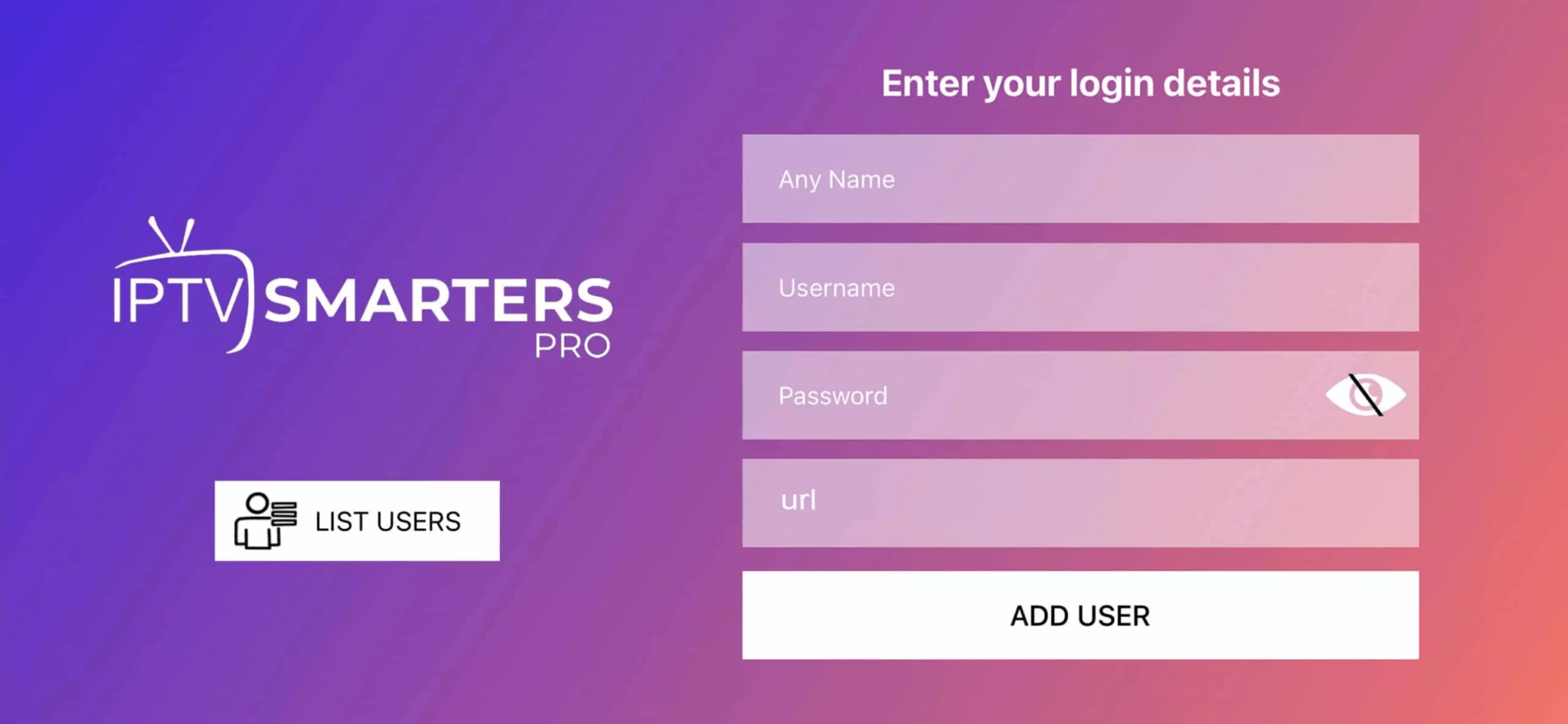
Open the app once downloaded and enter the login details.
Step 3
Enter the login details that we have provided you after you get a subscription with us.
P.S.: Sometimes the smart TV doesn’t support the IPTV Smarters app. In such cases, you may need to use another app, such as the iBo Player app.
Android Phone / Tablet Installation
Step 1
Start by downloading the “downloader” app from the Play Store. And then install your favorite player code.
See listStep 2
Click on “ADD USER” to proceed to the next section.
Step 3
Open the app once downloaded and Enter your login credentials.
Step 4
Once everything loads you can choose from Live TV, Movies, or Series.
Step 5
Get your stream on!
Apple iOS (iPhone/iPad/Apple TV)
Step 1
Start by downloading available players from the Apple Store:
- UHF - Love your IPTV ($9 App, Free 6 Days to test out)
- IBO Pro Player
Or you can search for them on the App Store. Install the app on your iOS device.
Step 2
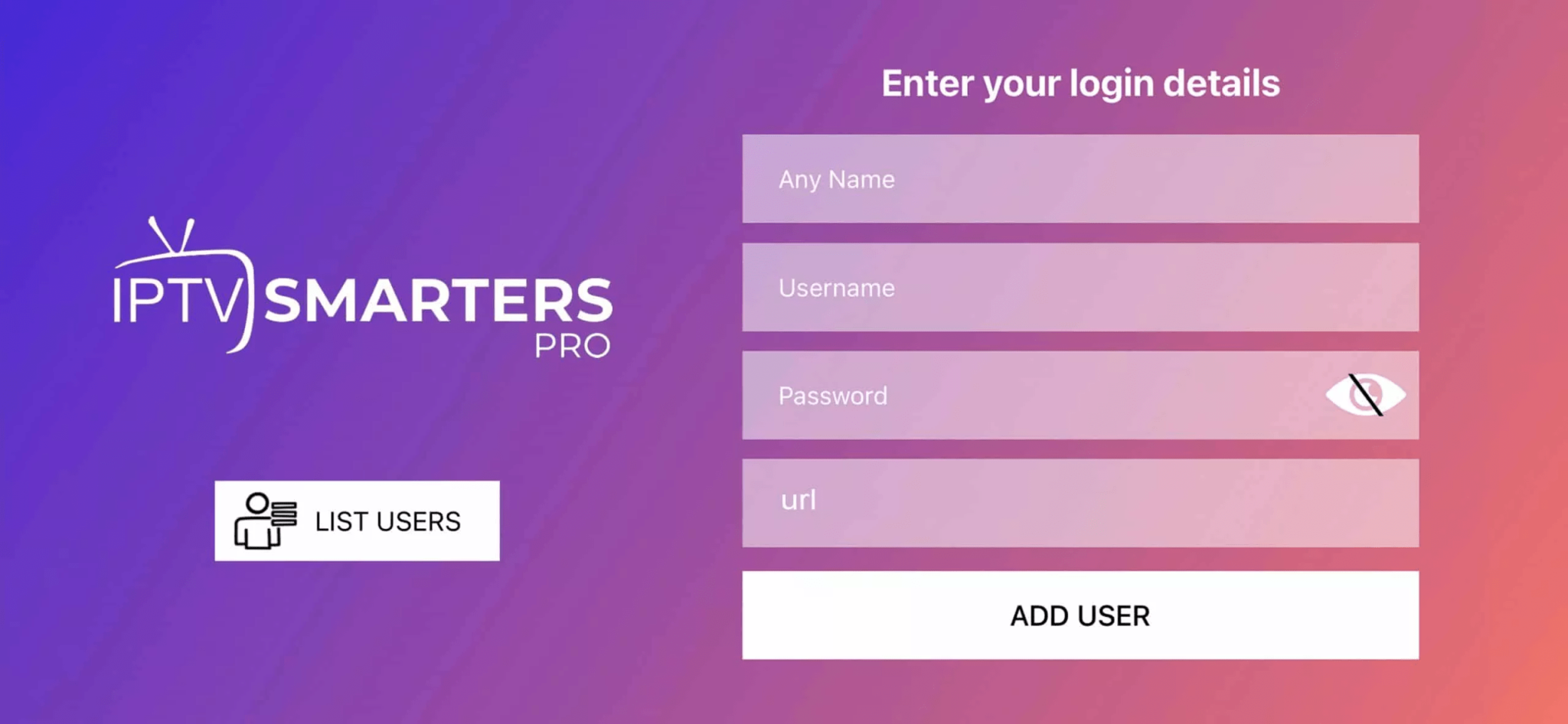
Open the app once downloaded and Enter the login details.
Step 3
Enter the login details that we have provided you after you get a subscription with us. Now Click on “ADD USER” to proceed to the next section.
Step 4
Wait some seconds for content to load.
Step 5
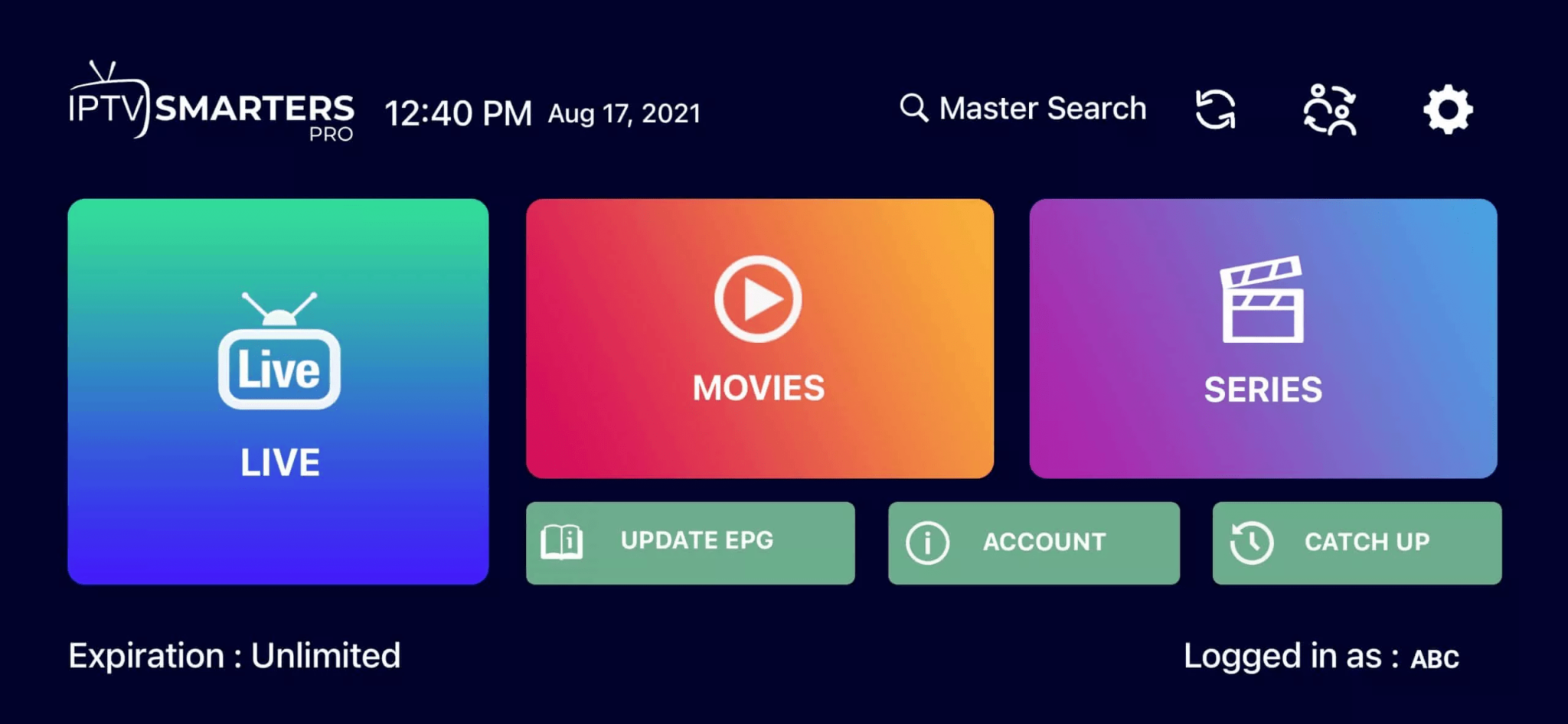
Now click on the “Live TV” icon as depicted in the image.
Step 6
Now you must select the channel group that you want to watch.
Step 7
Click on the channel name and then double click on the small screen to turn into full screen.
Step 8 (EPG)
To add EPG no need to add any EPG url, Just click on “Install EPG”.
Roku Installation
Step 1
Start by downloading available players from the Roku Store:
- UHF - Love your IPTV ($9 App, Free 6 Days to test out)
- IBO Pro Player
Or you can search for them on the Roku Store. Install the app on your Roku device.
Step 2
Open the app once downloaded and Enter the login details.
Step 3
Enter the login details that we have provided you after you get a subscription with us. Now Click on “ADD USER” to proceed to the next section.
Step 4
Wait some seconds for content to load.
Step 5
Now click on the “Live TV” icon as depicted in the image.
Step 6
Now you must select the channel group that you want to watch.
Step 7
Click on the channel name and then double click on the small screen to turn into full screen.
Step 8 (EPG)
To add EPG no need to add any EPG url, Just click on “Install EPG”.
Windows / Mac Installation
Fire TV Stick Installation Guide
We will first install the Downloader app. This app will allow you to load the BlackBox TV apps on the Firestick.
Step 1
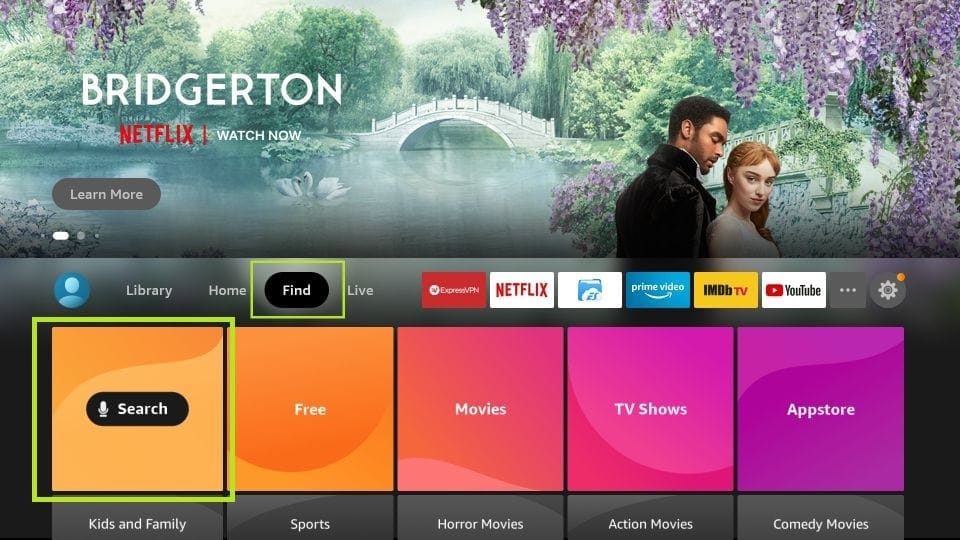
From the home screen of your device, hover over the Find option and click the Find > Search option.
Step 2
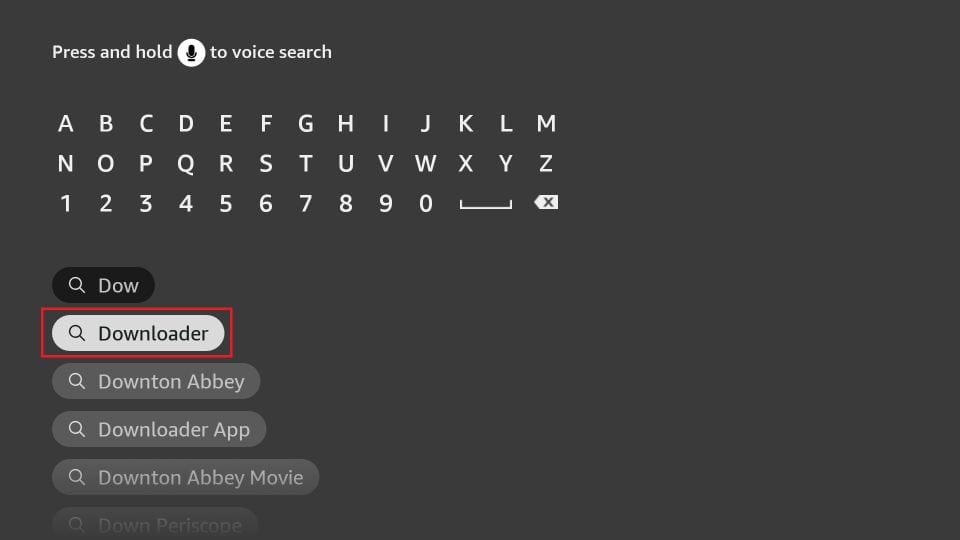
Type the name of the app (which is Downloader). Click the Downloader option when it is displayed in the search results. Choose the Downloader icon and download and install the app.
Step 3
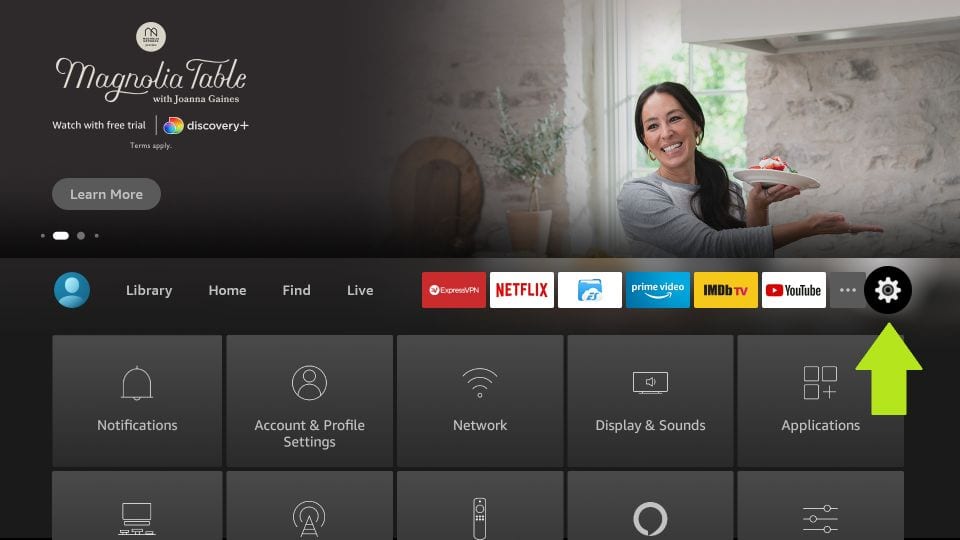
Get back to the home screen of Firestick after installing the Downloader app. In the menu bar, click Settings.
Step 4
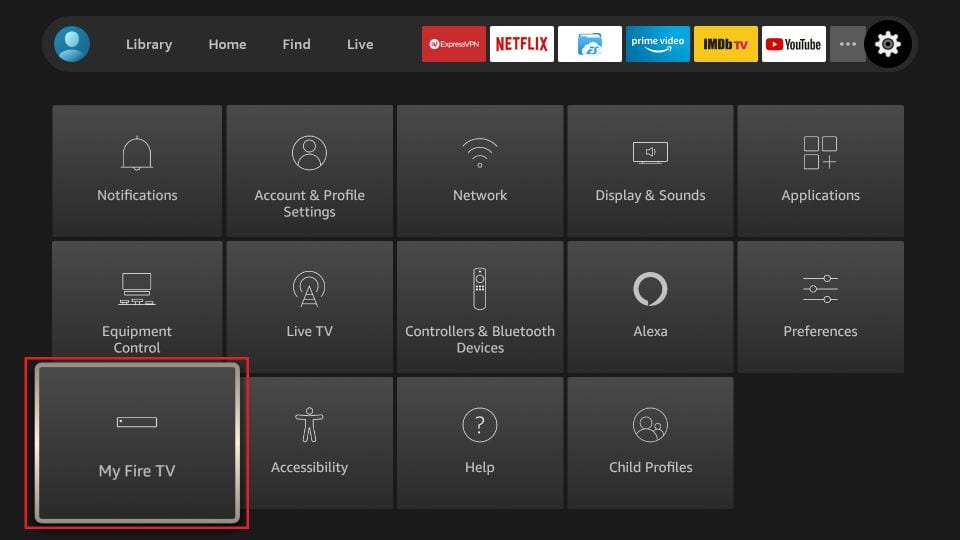
In the Settings, choose the option My Fire TV.
Step 5
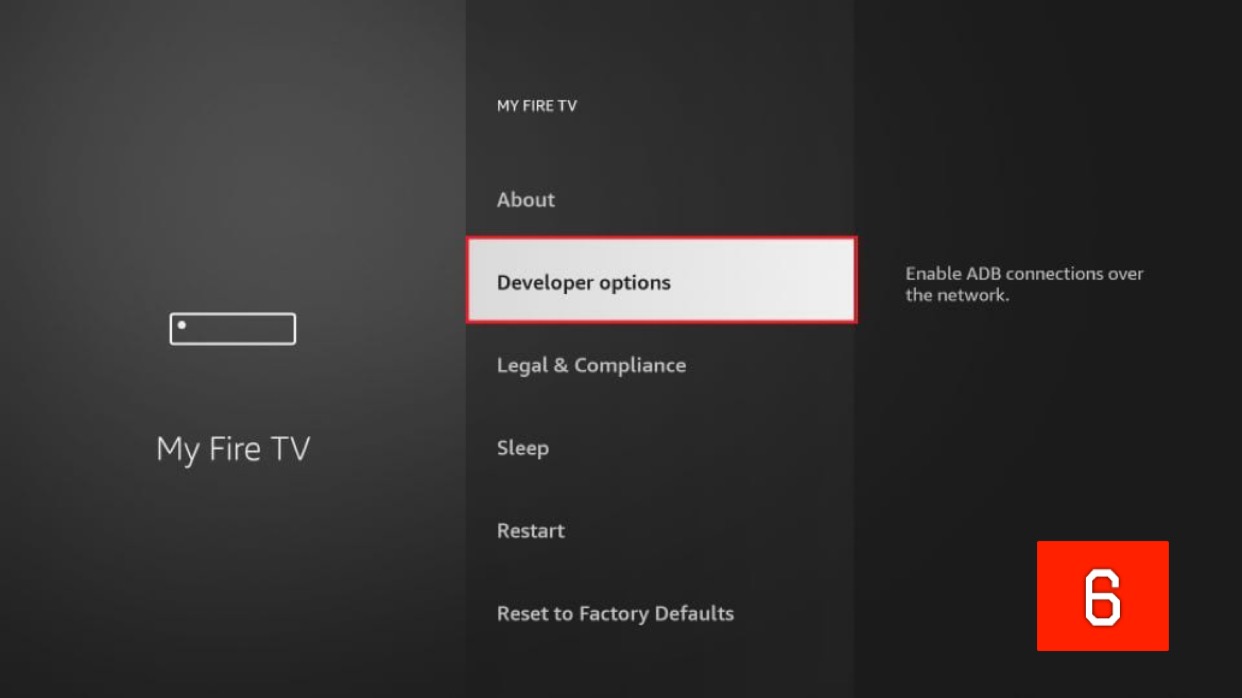
Click Developer Options. If Developer Options is not available, click on "About", highlight the name of your Firestick, and click it 7 times to enable Developer Options.
Step 6
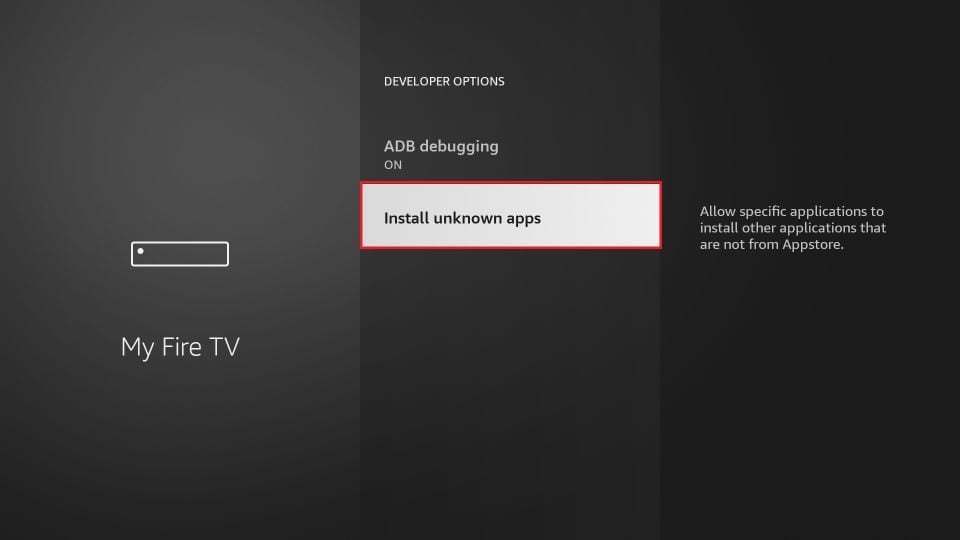
Click Install from unknown apps.
Step 7
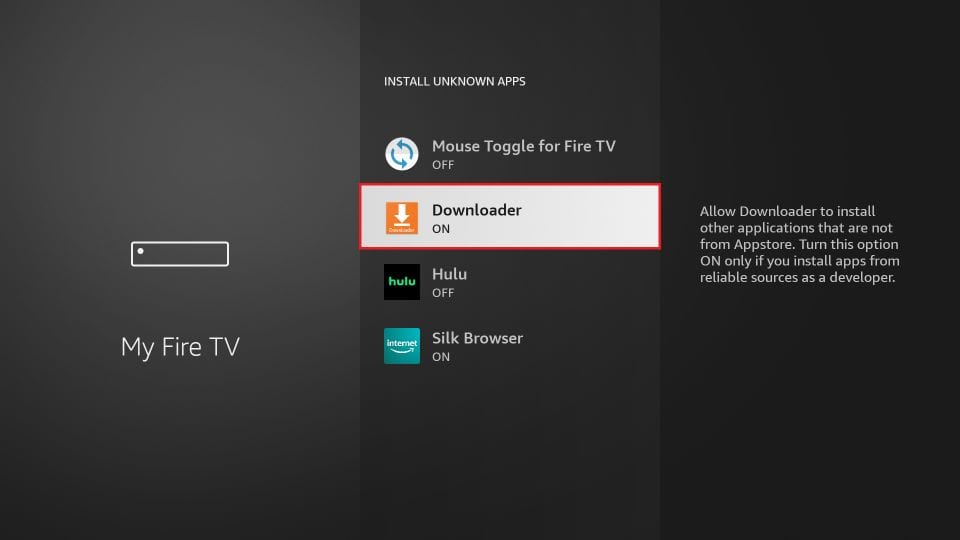
Click Downloader to change the status to ON.
Step 8
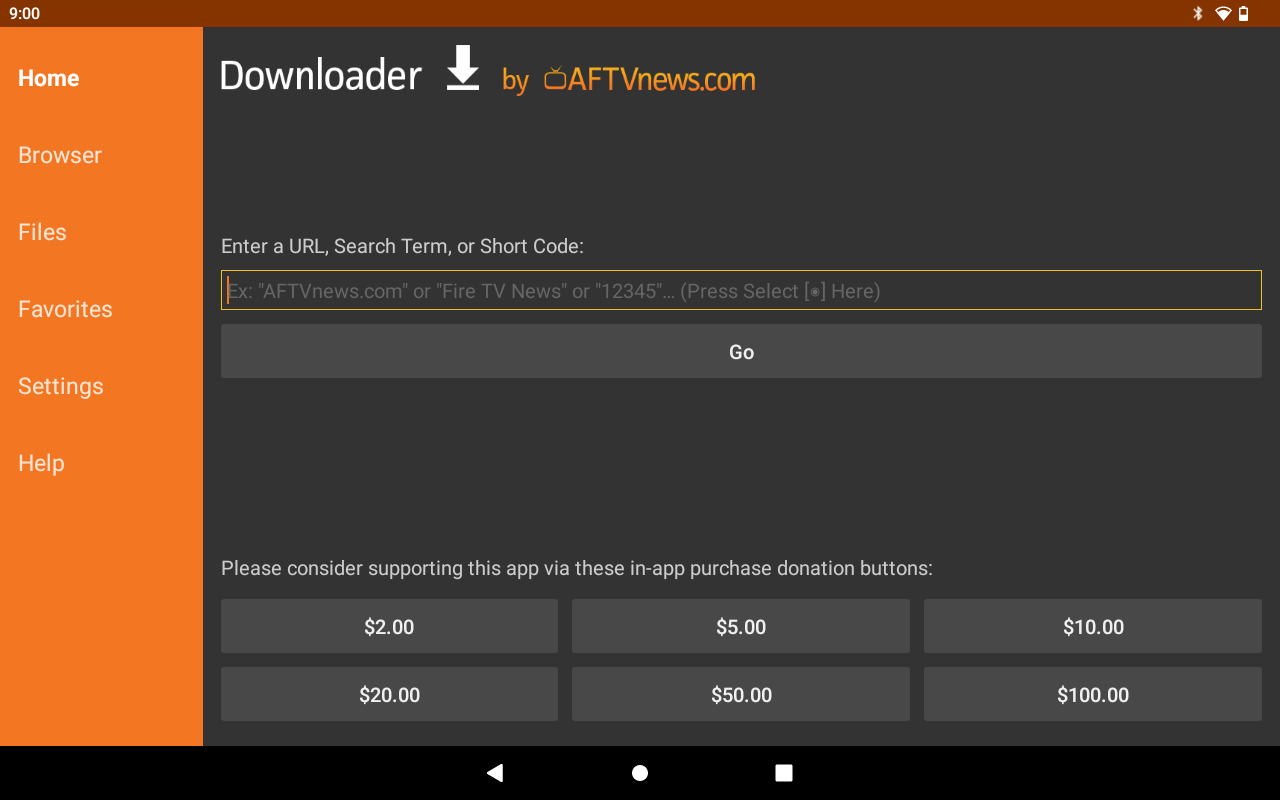
Open the Downloader app. Dismiss prompts until you see the Home screen.
Step 10
Wait for download and install the APK file.